

Screens, projectors, sound systems, HDMI devices and streaming equipment
Home Cinema Installation for Films, Sport, Gaming and Streaming
Create a cleaner and more immersive entertainment setup with professional home cinema installation from James Wilson TV Aerial Installer. The service can bring together your screen, sound equipment, games consoles, streaming devices and live television connections.
A good home cinema should suit the room as well as the equipment. Viewing distance, screen height, speaker position, lighting, cable routes and everyday controls all affect how comfortable the system is to use.
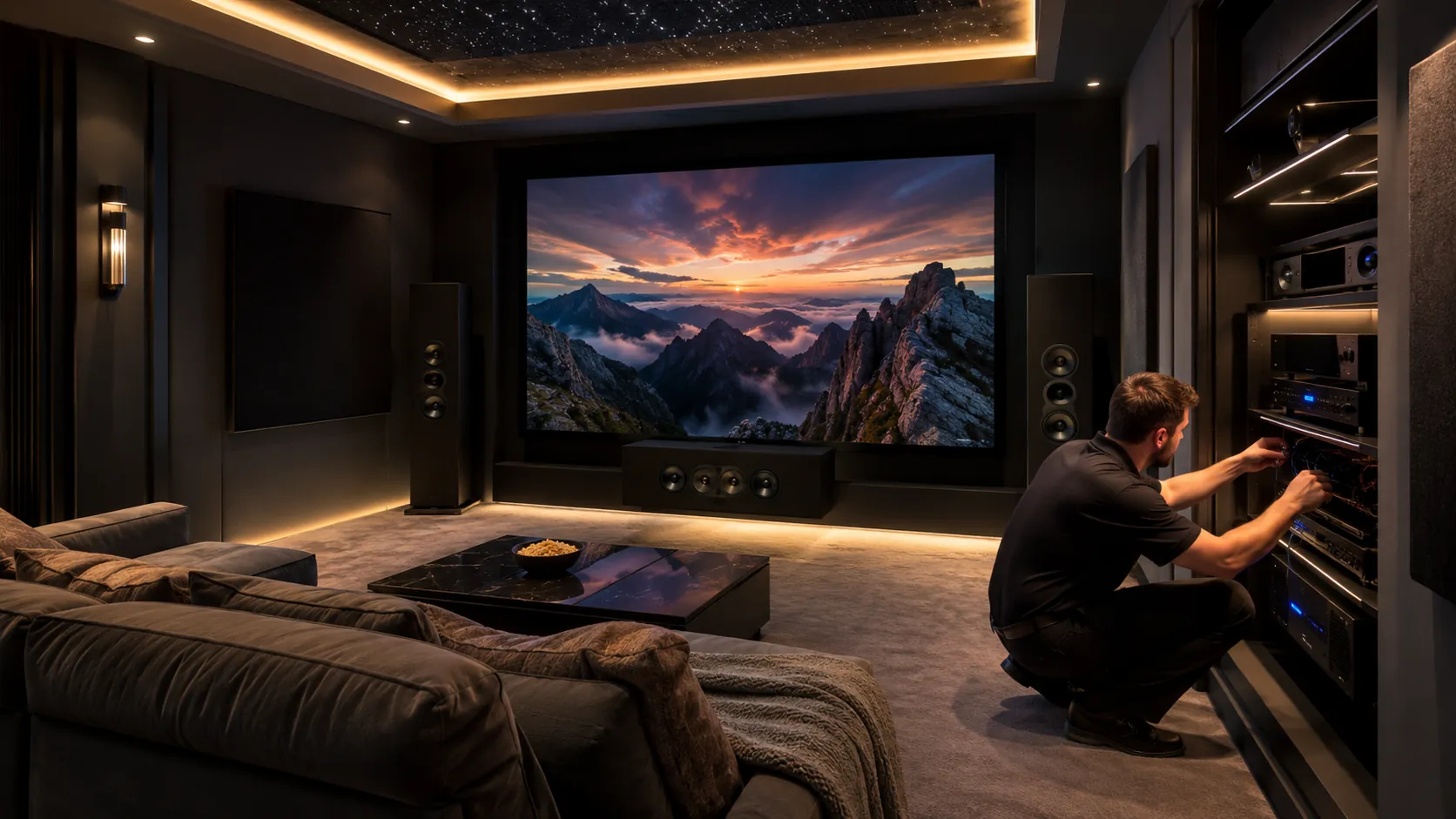
Plan the Room Before Buying More Equipment
It is easy to buy a large screen or additional speakers before checking whether they suit the room. A short planning stage can prevent uncomfortable viewing, blocked doors, awkward cables and equipment that is difficult to use.
Room Details to Consider
- Room length, width and ceiling height
- Main seating position and viewing distance
- Windows, daylight and screen reflections
- Power, aerial, satellite and internet points
- Safe routes for HDMI and speaker cables
- Space for boxes, receivers and ventilation
Equipment Details to Share
- Television or projector make and model
- Screen size or proposed picture size
- Soundbar, speakers or AV receiver
- Games consoles and media players
- Streaming, Freeview, Freesat or satellite equipment
- Any brackets, stands and cables already purchased
Choose the Home Cinema Setup That Suits You
Large TV and Soundbar
A practical option for everyday living rooms. It can provide a bigger picture and improved sound without filling the room with equipment.
View TV Wall MountingProjector and Screen
A projector setup can create a larger image where the room, light levels, viewing distance and mounting options are suitable.
Ask About Projector SetupSurround Sound System
Compatible speakers, subwoofers and an AV receiver can create a wider sound field when the room and cable routes allow.
Discuss Sound SetupGaming and Media Room
Connect consoles, streaming equipment and suitable audio devices for games, films and live streaming.
View HDMI ServicesSmart TV Entertainment Setup
Bring together streaming apps, Freeview channels, sound equipment and HDMI devices on a compatible Smart TV.
View Smart TV SetupSimple Upgrade to an Existing Room
Improve a current setup through better screen position, soundbar connection, tidy cabling and clearer input organisation.
Send Photos on WhatsAppCustomer Reviews
Read feedback from customers who have used James Wilson TV Aerial Installer for home cinema, television, aerial and satellite services.
Screen, Projector and Viewing Position
The picture should feel large enough to be immersive without becoming uncomfortable. Screen size alone does not determine the best result. Seating distance, screen height, room light and content all matter.
Large Television Setup
- Screen position based on the main seating area
- Wall mounting or suitable stand placement
- Access to HDMI and aerial connections
- Space for soundbars and connected equipment
Projector and Screen Setup
- Projector throw and proposed image size
- Screen wall and viewing position
- Room light and reflections
- Source, power and cable access
Soundbar, Speakers and AV Receiver Setup
Clear dialogue and balanced sound can improve a home cinema as much as a larger picture. The right option depends on the room, equipment and how much cabling you want.
Soundbar and Subwoofer
A soundbar is often the simplest way to improve television sound. A compatible subwoofer can add more depth where suitable.
Surround Speakers
Speaker placement should take account of seating, walkways, furniture and practical cable routes.
AV Receiver Connections
An AV receiver can manage several sources and speakers, but the inputs, outputs and settings need to be organised correctly.
A larger number of speakers does not always create a better result. A simpler, well-positioned setup may be more suitable for a shared living room.
Home Cinema Devices and HDMI Connections
Most home cinema systems use several source devices. Labelling and testing the correct television or receiver inputs makes the finished system easier to use.
Games Consoles
Connect compatible consoles and check the selected HDMI input, picture and audio output.
Streaming Devices
Connect compatible streaming sticks, boxes and media players to the available television or receiver inputs.
Blu-ray Players
Check compatible video and audio connections for discs and other local media.
TV Receivers
Connect suitable Freeview, Freesat or satellite equipment where live television is part of the setup.
Live TV, Streaming and Internet Connections
A complete entertainment room may use internet streaming alongside live terrestrial or satellite television. Each source needs the correct connection.
Freeview Television
Live Freeview channels normally require a suitable TV aerial and a stable terrestrial signal.
View Freeview InstallationFreesat and Satellite
Freesat and other compatible satellite services use a correctly aligned dish and suitable receiver equipment.
View Freesat InstallationInternet Streaming
Streaming services depend on the Smart TV or device, your accounts and a suitable Wi-Fi or Ethernet connection.
View Streaming SetupHome Cinema Cable Planning and Tidying
Cables are easier to manage when the screen, sound equipment and source devices are planned together. The options depend on the room, wall construction, furniture, socket positions and cable lengths.
Cables Commonly Required
- HDMI cables
- Speaker and subwoofer cables
- Aerial or satellite coaxial cable
- Ethernet network cable
- Power leads supplied with the equipment
A Tidy Setup Should Keep
- Important inputs accessible
- Cables free from unnecessary tension
- Equipment ventilation clear
- Walkways and furniture practical
- The system easy to service or change later
Home Cinema Installation Prices and Free Quotes
The cost depends on the room, equipment, screen or projector, sound system, cable work and number of connected devices. A straightforward TV and soundbar setup may take less time than a complete projector and surround sound installation.
What Can Affect the Price?
- Large TV or projector setup
- Wall mounting requirements
- Number of speakers and source devices
- AV receiver and HDMI connections
- Cable routes and room access
- Live TV or internet connection faults
Get Relevant Advice Before Booking
Share the room type, equipment list and photos of the proposed screen area. This helps the team understand the likely work and provide a more useful free no obligation quote.
Request a Free QuoteHow the Home Cinema Installation Process Works
Discuss the Room and Equipment
Explain whether the system is for films, sport, gaming, streaming, music or a mixture of uses.
Plan the Main Positions
The screen, seating, sound equipment, source devices and cable routes are considered.
Connect the Equipment
The agreed television, projector, sound and compatible source devices are set up.
Test Picture and Sound
The main inputs, audio output, live television and streaming sources are checked where included.
Organise the Controls
The important remotes, source names and everyday controls are explained.
Complete the Handover
The finished setup is reviewed so you know how to switch between the main viewing options.
Home Cinema Installation for Different Rooms
Living Rooms
Balance better picture and sound with everyday family use, furniture and a tidy appearance.
Dedicated Cinema Rooms
Plan the screen, speakers, seating and lighting around films and immersive viewing.
Games Rooms
Connect consoles, displays, sound equipment and streaming devices for gaming and media use.
Bedrooms
Create a simpler screen and sound setup suited to the available viewing position.
Lofts and Converted Spaces
Work around sloping ceilings, limited wall space and unusual room layouts.
Offices and Small Businesses
Set up suitable screens and connected equipment for presentations, waiting areas or staff use.
Related Television and Entertainment Services
TV Wall Mounting
Secure bracket fitting, viewing position advice and cable planning.
View TV Wall MountingHD and HDMI Services
HDMI cable checks, picture sources and compatible device connections.
View HD ServicesFreeview Installation
TV aerial fitting and terrestrial signal support for live television.
View Freeview ServicesFreesat Installation
Subscription-free satellite television, receiver setup and dish checks.
View Freesat ServicesExtra TV Points
Add television signal access in bedrooms, kitchens, offices or converted rooms.
View Extra TV PointsBook Home Cinema Installation
Contact James Wilson TV Aerial Installer for screen, projector, sound, HDMI, streaming and live television setup advice.
Opening hours are Monday to Friday from 8am to 9pm, and Saturday to Sunday from 8am to 5pm.
Home Cinema Installation FAQs
What is included in home cinema installation?
Home cinema installation can include room and equipment planning, large TV or projector setup, soundbar or speaker connections, AV receiver setup, HDMI device connections, cable checks, streaming equipment and basic picture and sound testing.
Do I need a dedicated cinema room?
No. A home cinema can be created in a living room, bedroom, loft conversion, games room or other suitable space. The recommended setup depends on the room size, seating, light, screen position and equipment.
Can you set up a projector and screen?
Yes, where the room and equipment are suitable. The engineer can help with projector position, screen placement, viewing distance, source connections and basic picture checks.
Can you connect a soundbar or surround sound system?
Yes. Compatible soundbars, subwoofers, speakers and AV receivers can be connected where suitable. Practical speaker positions and cable routes can also be discussed.
Can games consoles and streaming devices be included?
Yes. Compatible games consoles, streaming sticks, media boxes, Blu-ray players and other HDMI devices can be connected as part of the agreed setup.
Can live television be included in a home cinema?
Yes. Freeview, Freesat or satellite television can be included when the property has a suitable signal and compatible equipment. Aerial or satellite faults may require separate testing.
Can home cinema cables be hidden?
Cable management depends on the wall type, room layout, sockets and equipment. The engineer can explain practical surface cable management and other suitable options before work begins.
Do you offer same-day home cinema installation?
Same-day local service may be available depending on your postcode, engineer schedules and the work required. Calling early gives the best chance of arranging a faster visit.